
Cleaner Wave
Speaker Water Eject & Audio Utility
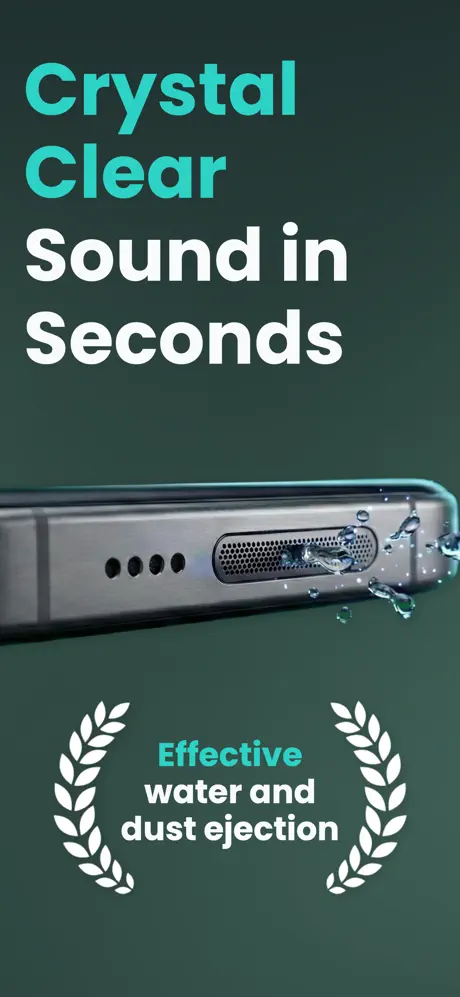
Remove water from your phone speakers using powerful sound frequencies. Clean your speakers and restore crystal-clear audio quality.
Frequently Asked Questions
How does Cleaner Wave remove water from my phone speaker?
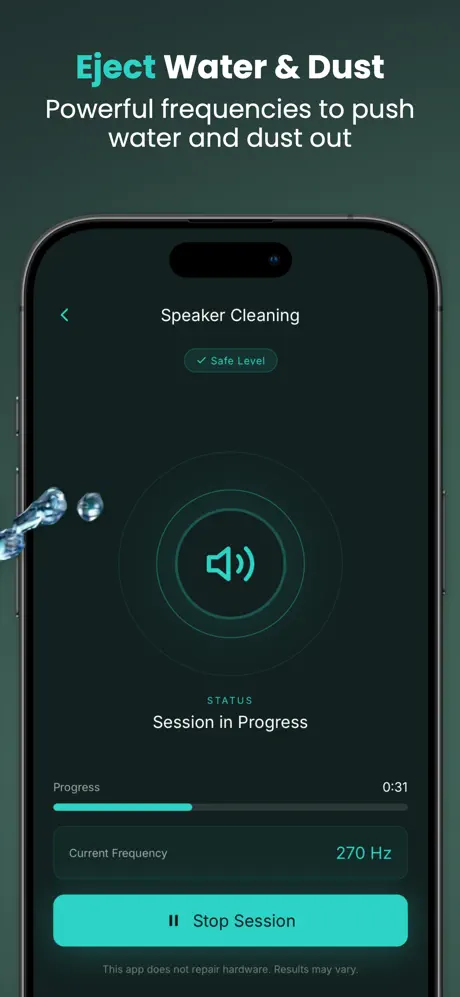
Cleaner Wave uses specific low-frequency sound waves (between 120Hz and 400Hz) that create intense air vibrations. These vibrations act as a water ejector, physically pushing water droplets out of the speaker mesh safely without disassembling your device.
Is it safe to use a sound-based speaker cleaner?
Yes, Cleaner Wave is 100% safe for your phone's hardware. It uses sound frequencies and vibrations to clean the speaker, meaning no physical tools or chemicals ever touch your device's sensitive components.
Can the app fix a muffled speaker caused by dust?
Absolutely. Over time, dust and lint accumulate in the speaker grills, causing crackling or quiet audio. Our specialized "Dust Remover" mode uses high-vibration tones to loosen and expel these particles, restoring audio clarity.
How long does the water ejection process take?
Most users see results in just 2 to 3 minutes. For best results, we recommend running the cleaning cycle twice if your phone has been heavily exposed to water.
Can I manually choose the cleaning frequency?
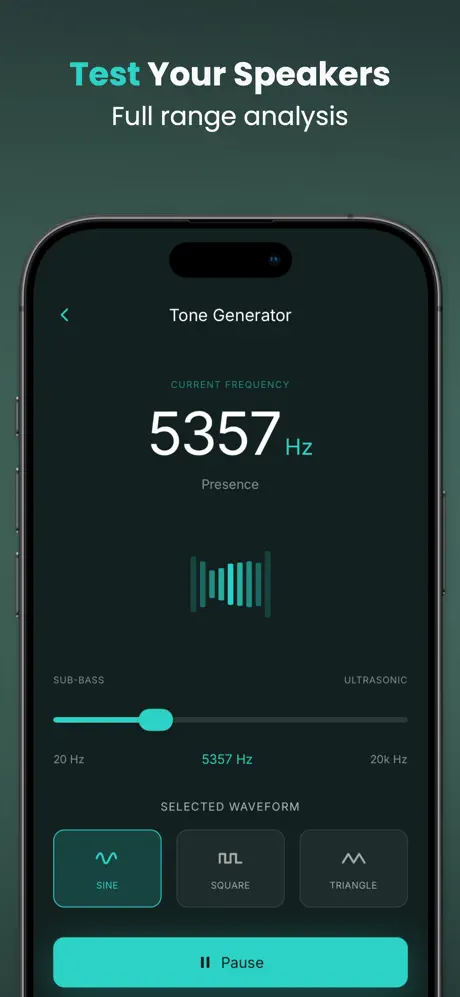
Yes! Our Tone Generator (Manual Mode) allows you to generate custom frequencies from 20Hz to 20kHz. This is ideal for audiophiles or those who want to target a specific sound frequency for speaker testing.
Will Cleaner Wave make my phone speaker louder?
By removing water droplets or dust that physically block the speaker mesh, Cleaner Wave can have a "Sound Booster" effect. Once the blockage is cleared, you will notice clearer, crisper, and louder audio output.
Does the app work if my phone has physical water damage?
While Cleaner Wave is a powerful Water Eject tool for clearing moisture, it cannot repair physical hardware damage or internal short circuits. If your phone was submerged for a long time and doesn't turn on, we recommend seeking professional repair.
How should I hold my phone during the cleaning process?
For the best results, place your phone on a flat surface with the speaker facing downwards. This allows gravity to work alongside the sound vibrations to eject water and dust more effectively.
What is the built-in Decibel (dB) Meter for?
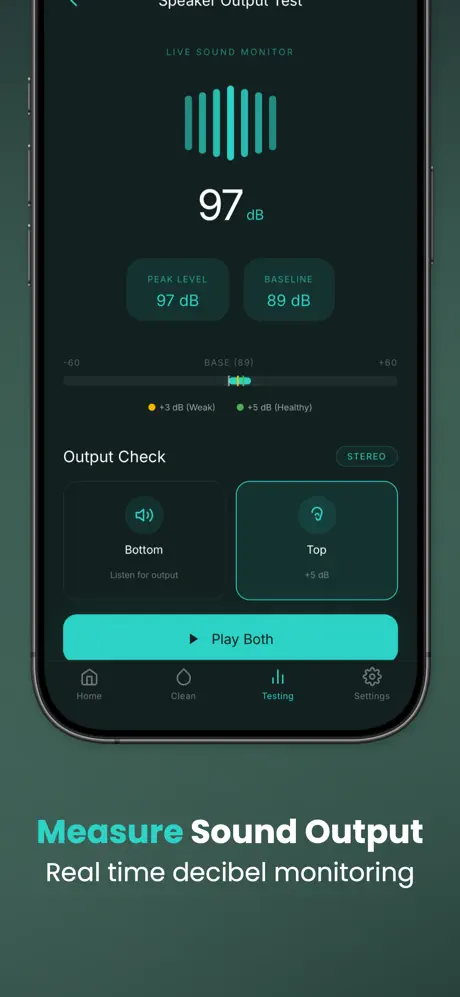
The Decibel Meter allows you to measure ambient noise levels around you in real-time. It's a great tool to monitor your environment's sound levels or test the maximum volume output of your speakers after cleaning.
Can I use this app on my tablet or other mobile devices?
Yes! Cleaner Wave is compatible with most mobile devices and tablets. Any device with a speaker can benefit from the frequency vibrations to clear moisture or dust buildup.
Helpful Articles
Phone Speaker Water Remover: How to Fix Muffled Sound
Dropped your phone in water, got caught in the rain, or splashed it at the pool? A muffled phone speaker is one of the most common consequences of water exposure. Don't panic - in most cases, the problem isn't permanent hardware damage but simply water trapped inside the speaker mesh.
Why Does Your Speaker Sound Muffled After Water Exposure?
Phone speakers work by vibrating a tiny membrane at high speed. When water droplets sit on or behind this membrane, they dampen the vibrations, causing distorted, quiet, or crackling audio. The speaker mesh is designed to keep out large debris, but its fine openings can actually trap water through surface tension - the same force that makes water bead up on small surfaces.
What NOT to Do (Common Myths)
Before we cover the solution, here's what you should avoid:
- Don't use a hairdryer: High heat can warp the speaker membrane or damage internal adhesives, making the problem worse.
- Don't insert cotton swabs or pins: Poking inside the speaker grille can puncture the delicate membrane or push debris further in.
- Don't put your phone in rice: Despite the popular myth, rice doesn't effectively absorb moisture from inside electronics. It can even leave starch dust in your ports and speakers.
The Sound Wave Solution
The most effective way to remove water from a phone speaker is by using low-frequency sound waves. This is actually the same method Apple uses in the Apple Watch's built-in Water Lock feature. The concept is simple: specific frequencies (typically between 120Hz and 400Hz) cause the speaker membrane to vibrate intensely, physically pushing water droplets out of the speaker mesh.
How to Remove Water from Your Phone Speaker in 3 Steps
- Step 1 - Position your phone: Place your phone on a flat surface with the speaker facing downward. Gravity will help the water exit.
- Step 2 - Run the water eject cycle: Open Cleaner Wave, set the volume to maximum, and tap "Start". The app will play a series of calibrated low-frequency tones designed to expel water.
- Step 3 - Repeat if needed: For heavy water exposure, run the cycle 2-3 times. You should see tiny water droplets appearing around the speaker grille - that means it's working.
Why Cleaner Wave?
Unlike simple tone generator apps, Cleaner Wave is specifically engineered for speaker water removal:
- Automatic Water Eject: One-tap cleaning cycle that sweeps through the optimal frequency range automatically.
- Dust Remover Mode: A separate mode using higher-frequency vibrations to dislodge dust and lint from the speaker mesh.
- Manual Tone Generator: Full control with a 20Hz–20kHz frequency range for advanced users who want to target specific tones.
- 100% Safe: No physical tools, no chemicals - just sound waves that are completely harmless to your device.
Download Cleaner Wave for free on App Store or Google Play and restore your speaker audio in minutes.
Water in My Phone Speaker? 3 Easy Steps to Eject It
A splash at the sink, a rainy commute, or an accidental dip in the pool - water in your phone speaker can turn crisp audio into a muffled, crackling mess. The good news? You usually don't need a repair shop. With a few quick actions you can eject the trapped water and restore full sound quality at home.
Step 1: Immediate External Drying
As soon as you notice water exposure, gently shake your phone with the speaker facing downward to let gravity pull out loose droplets. Then pat the exterior - especially around the speaker grille and charging port - with a lint-free cloth or paper towel. Avoid pushing moisture further inside.
- Crucial Tip: Never use a hairdryer or compressed air - the heat can warp delicate internal membranes, and high-pressure air can force water deeper into the device.
- Power Down: If the phone was fully submerged, turn it off immediately to prevent short circuits while you work on removing the water.
Step 2: Position for Gravity
Place your phone on a flat surface with the speaker grille pointing straight down. Propping it at a slight angle (about 15-20 degrees) can help even more. Leave it in this position for a minute or two so gravity can do its job before you move on to the next step.
Step 3: Use Sound Wave Vibration
This is the most effective technique - and the same principle Apple uses in the Apple Watch Water Lock feature. A calibrated low-frequency tone causes the speaker membrane to vibrate rapidly, physically pushing water droplets out through the mesh.
- Open Cleaner Wave and set your phone volume to maximum.
- Tap "Start" to begin the water eject cycle.
- Watch for tiny droplets forming around the speaker grille - that means water is being expelled.
- For heavy exposure, repeat the cycle 2-3 times until audio sounds clear again.
Why You Should Avoid the Rice Method
Putting a wet phone in a bag of rice is one of the most widespread - and least effective - home remedies. Rice absorbs ambient humidity very slowly, and the starch dust can clog ports, speakers, and buttons. Sound-based water ejection is faster, cleaner, and actually targets the trapped moisture where it sits.
Keep Your Speakers Clear
Even after drying, microscopic residue from pool chemicals, salt water, or tap minerals can build up over time. Running a quick Cleaner Wave cycle after any water contact helps prevent long-term buildup and keeps your speaker output crisp.
Download Cleaner Wave for free on App Store or Google Play and get your speaker audio back in minutes.